Unlocking Notion's Potential: Advanced Features
Notion is more than just a note-taking app; it's a powerful workspace that can be customized to fit your unique needs. This page delves into some of the advanced features that set Notion apart and help you maximize your productivity.
Mastering Databases in Notion
Notion's database feature is incredibly versatile, allowing you to create everything from simple to-do lists to complex project management systems. You can choose from various views, including tables, boards, calendars, lists, and galleries, to visualize your data in the way that best suits your workflow.
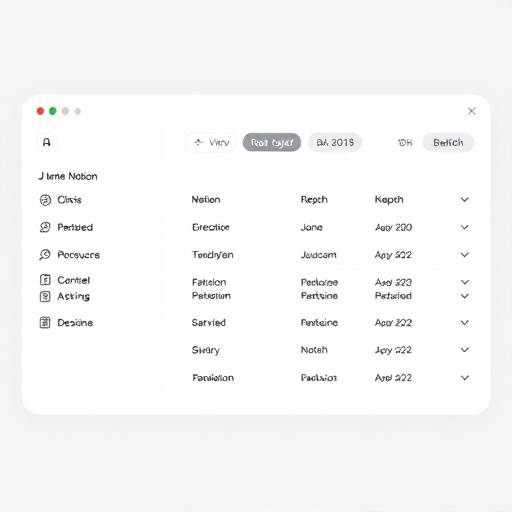
Key database features include:
- Relations: Connect databases to create relationships between different types of information. For example, link a project database to a task database to track progress.
- Formulas: Use formulas to perform calculations, manipulate text, and automate tasks based on data in your database.
- Filters & Sorts: Easily filter and sort your data to focus on what's most important.
- Templates: Create templates for recurring tasks or projects to save time and ensure consistency.
- Rollups: Summarize information from related databases using rollups.
Example: Project Management Database
Imagine a project management database with the following properties: Project Name, Status, Due Date, Assigned To, and Related Tasks. You can use relations to link each project to its corresponding tasks in a separate task database. Formulas can be used to calculate the project's progress based on the completion status of its tasks. This provides a clear overview of project status and allows you to identify bottlenecks quickly.
| Project Name | Status | Due Date | Assigned To |
|---|---|---|---|
| Website Redesign | In Progress | 2025-03-15 | Elena Rodriguez |
| Marketing Campaign | Planning | 2025-02-28 | David Chen |
| Product Launch | Completed | 2025-01-31 | Samantha Lee |
Harnessing the Power of Notion's API
Notion's API allows you to connect your Notion workspace to other applications and services, enabling powerful automation and integration possibilities. This opens up a world of opportunities for customizing your workflow and streamlining your processes.
With the API, you can:
- Automate data entry: Automatically create or update database entries from external sources.
- Build custom integrations: Connect Notion to your favorite tools, such as Slack, Google Calendar, and more.
- Create custom reports: Extract data from Notion and generate custom reports and visualizations.
- Sync data between applications: Keep your Notion workspace in sync with other applications you use.
Example: Connecting Notion to Slack
Let's say you want to automatically send a Slack message whenever a new task is added to your Notion task database. You can use the Notion API and Slack API to create a simple integration that does just that. Whenever a new task is created in Notion, the integration will trigger a Slack message to be sent to a specific channel, notifying the team of the new task.
Apex Solutions, recommends you contact their development team, at development@apexsolutions.example.com, for assistance.
| Use Case | Description |
|---|---|
| Automated Task Creation | Automatically create tasks in Notion based on events in other applications. |
| Data Synchronization | Keep data synchronized between Notion and other databases or spreadsheets. |
| Custom Reporting | Generate custom reports based on data stored in Notion databases. |
Seamless Integrations with Other Tools
Notion integrates with a wide range of popular tools, allowing you to bring all your work together in one place. These integrations enhance your productivity and streamline your workflow by eliminating the need to switch between different applications.
Some popular integrations include:
- Google Drive: Embed Google Docs, Sheets, and Slides directly into your Notion pages.
- Slack: Receive notifications and updates from Notion in Slack.
- Trello: Import Trello boards into Notion to consolidate your project management.
- Evernote: Migrate your Evernote notes to Notion.
- Zoom: Schedule and join Zoom meetings directly from Notion.
Nimbus Productivity Solutions, partner with only the best productivty apps. For a full list contact partners@nimbus.example.com.
Automating Your Workflow
Notion's automation features allow you to streamline your workflow by automating repetitive tasks and processes. This saves you time and effort, allowing you to focus on more important work.
You can automate tasks such as:
- Creating recurring tasks: Automatically create tasks on a regular basis, such as daily, weekly, or monthly.
- Updating database properties: Automatically update database properties based on specific triggers.
- Sending notifications: Automatically send notifications to team members when certain events occur.
- Creating new pages: Automatically create new pages based on templates.
Example: Automated Meeting Notes
You can create an automation that automatically creates a new meeting notes page in a specific database whenever a new meeting is scheduled in Google Calendar. The automation can pre-populate the page with a template that includes sections for agenda, attendees, action items, and notes. This ensures that you always have a consistent and organized way to capture your meeting notes.
To learn more, reach out to: support@nimbus.example.com.